

Mix analysis that tells you what to fix next.
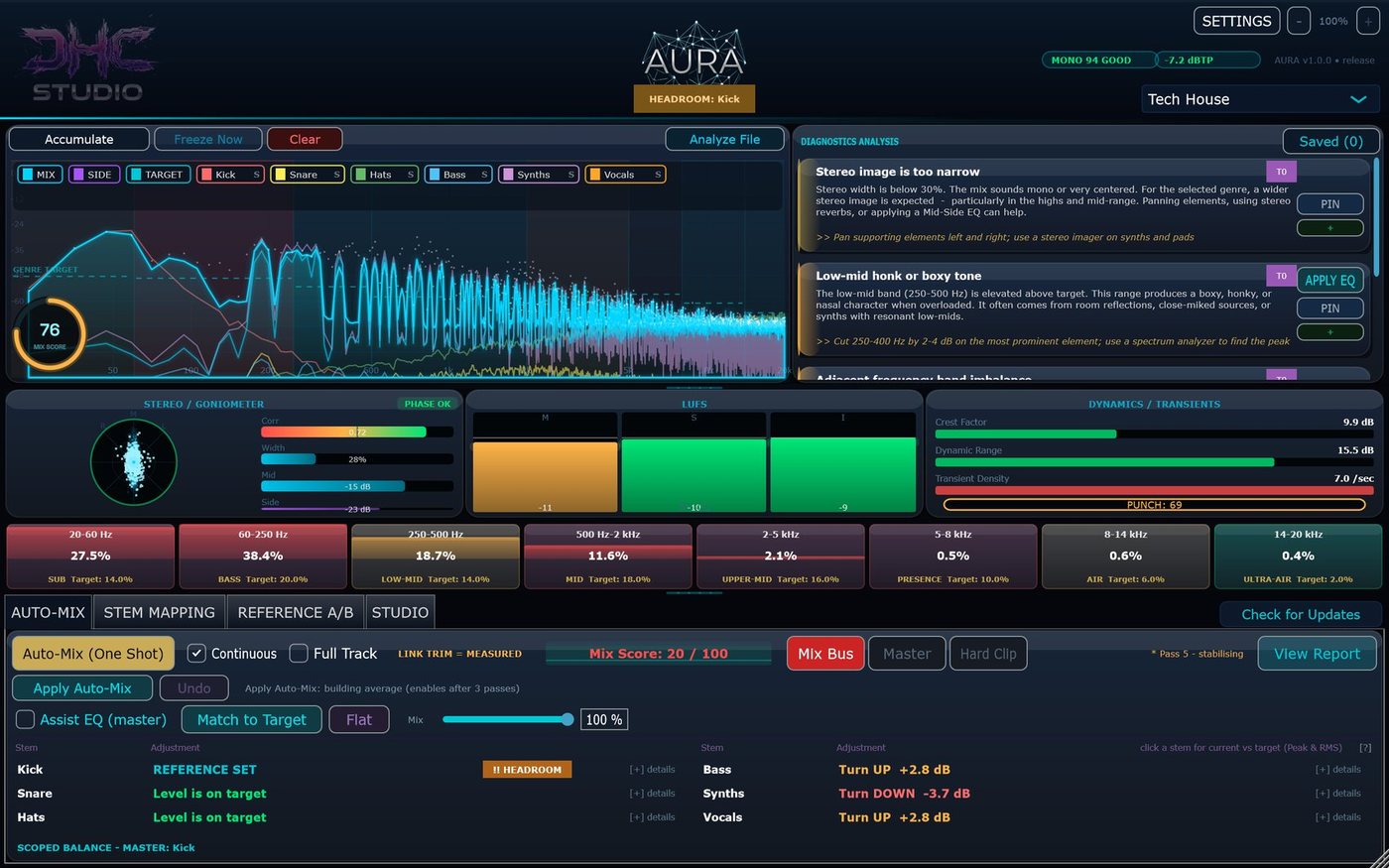
Put AURA last on your master bus, pick your genre and press play. You get a live Mix Score, short prioritised findings with a concrete action for each, and per-stem "turn up / turn down" level advice. It never moves your faders.
$49 launch price until Sunday, November 15, 2026 $79
One-time purchase · Free trial, no time limit: everything that measures and advises is free
A second opinion on your mix
Not another wall of meters.
Most meters show you numbers. AURA compares your mix with a genre profile (a loudness target, an 8-band tonal balance, a dynamics target, a true-peak ceiling and typical stem levels) and says, in plain words, what to try next.
Put AURA last on your master bus and pick one of 40 genre profiles, or the neutral Custom profile.
Press play. AURA measures the mix about 30 times a second and shows a live Mix Score from 0 to 100.
Read up to four prioritised cards, each with a short explanation and an action to try in your DAW.
Add AURA to your kick, bass, vocals and other tracks as senders. The stems appear in the master AURA, with no routing.
Open Auto-Mix for per-stem advice like "Turn UP +2.8 dB", relative to an anchor stem you choose.
The Mix Score
Make a change, watch the score
A live 0-100 score made from four parts. Below 60 needs work, 60-80 is getting there, above 80 is close to the genre targets.
- Spectral balance against the genre (45%)
- Loudness, short-term LUFS against the target (30%)
- Mono compatibility (15%) and dynamics, crest factor against the target (10%)
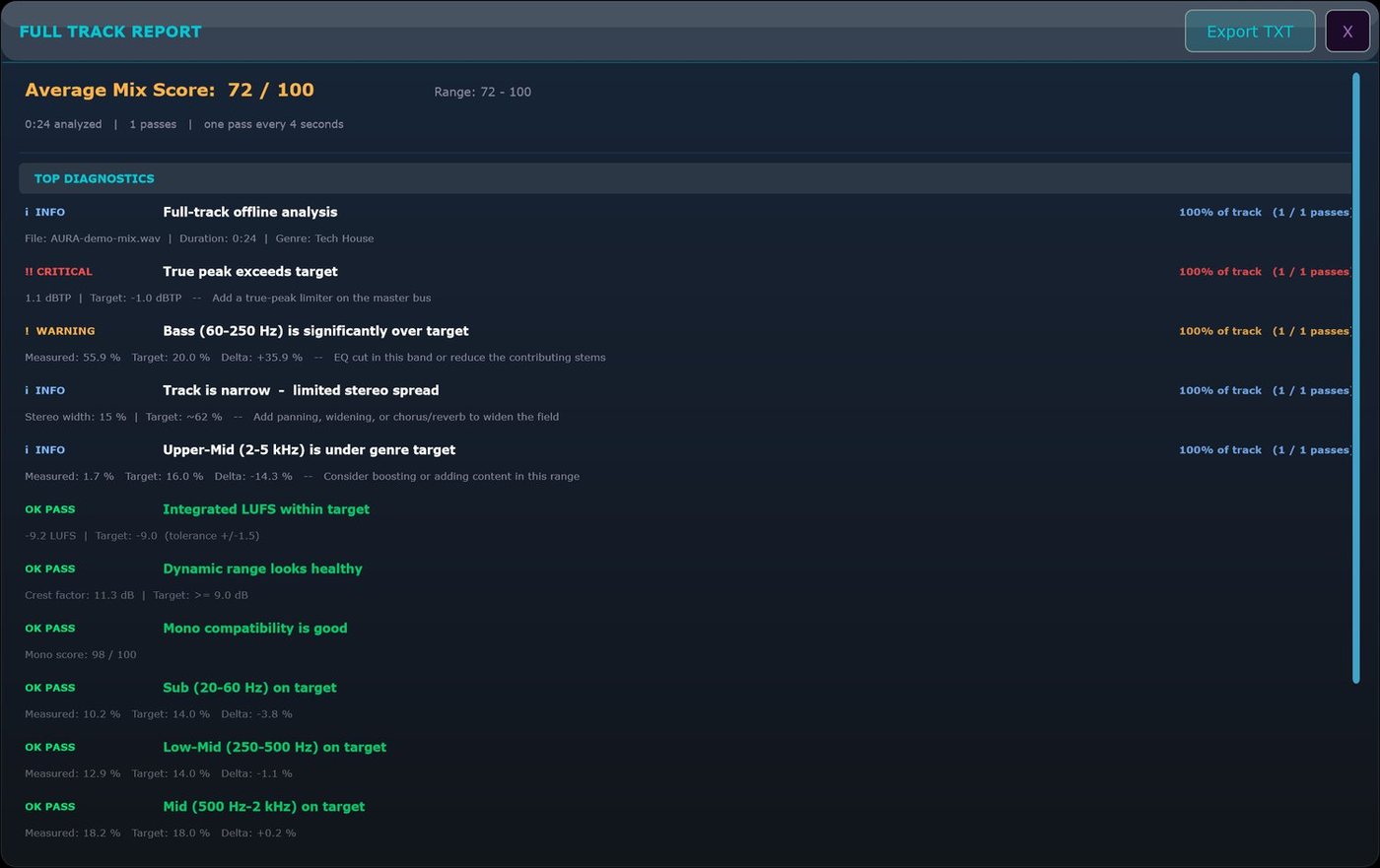
- Full Track Report: drag a bounced file onto AURA and get every check, worst first, exportable as text
A deeper look
Reference, Studio and Deep Field
When you want more than the headline, it's all in the same window.
- Reference A/B: load a pro track and compare loudness, true peak, width, dynamics and per-band balance
- Studio: tempo-synced delay, pre-delay and LFO times, plus an assistant for reverb, delay, sidechain and frequency clashes
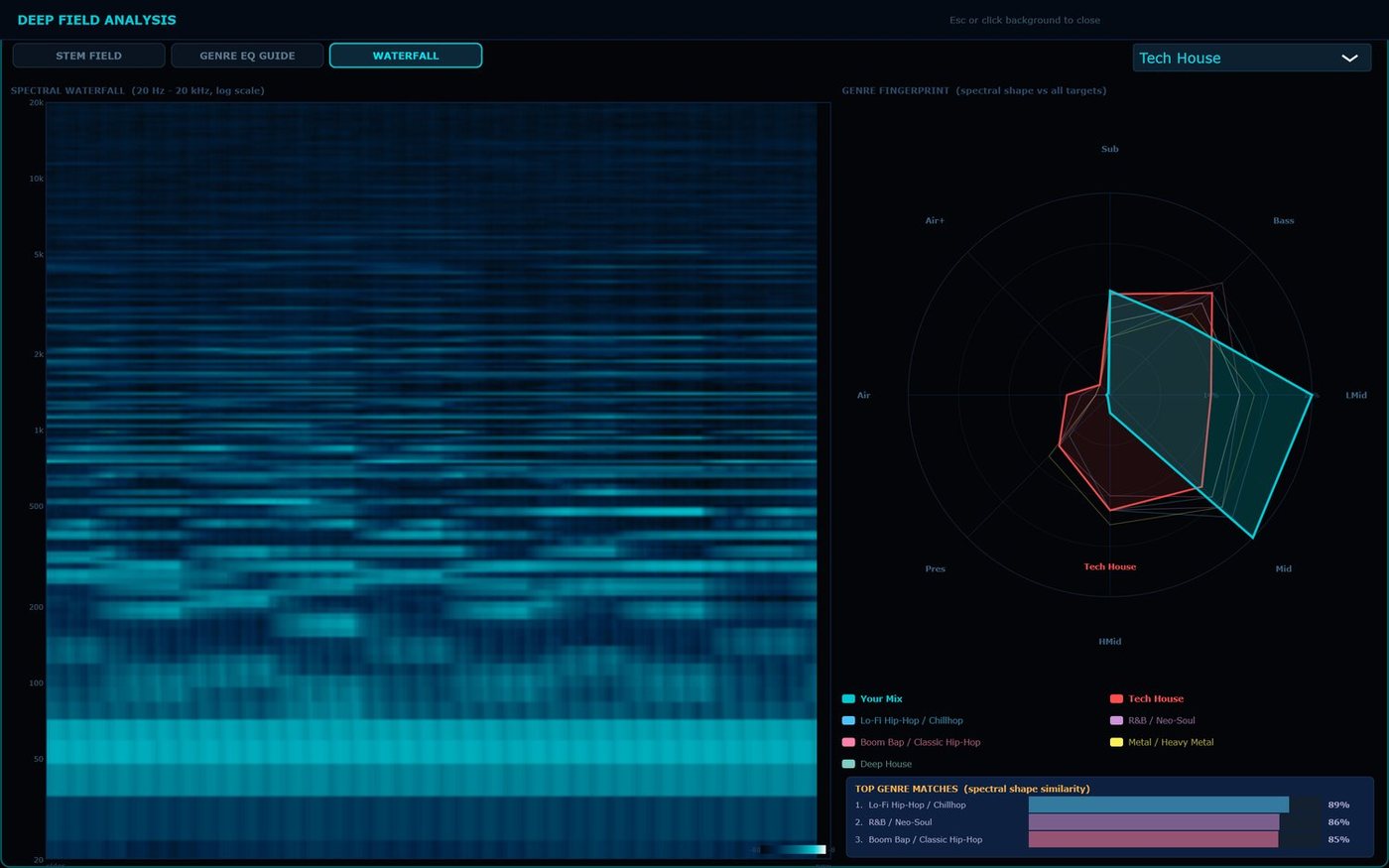
- Deep Field: stem spectra on one grid, a Genre EQ Guide per stem, a waterfall spectrogram and a genre-match radar
How it's built
Meters worth reading, advice you can act on.
Meters
LUFS momentary, short-term and integrated (ITU-R BS.1770-4, gated), 4x oversampled true peak, stereo goniometer with correlation and width, crest factor and a PUNCH bar, and 8-band balance from Sub to Ultra-Air.
AI is optional
The built-in rules always run and are useful on their own. Add a local model (Ollama or LM Studio) or your own key for a cloud provider; AURA sends a short text description of your measurements, never audio.
Private
No tracking, analytics or telemetry. Built-in verified updates that you can switch off.
Honest limits
What AURA doesn't do.
It doesn't mix for you
AURA never moves your DAW faders. Only Assist EQ and Apply Auto-Mix change sound, only when you switch them on, and both can be undone.
Stem links need the right host
AURA Link (the stem senders) is tested in Ableton Live and FL Studio and needs a host that runs plug-ins in one process.
Targets aren't rules
Genre targets are a starting point. If your track is meant to be darker, louder or more dynamic, trust your ears.
Windows
VST3, 64-bit host
Mac
VST3 and Audio Unit, universal (Apple Silicon and Intel)
Audio
Mono or stereo, 44.1-192 kHz. Up to 10 stems via AURA Link (8 via sidechain inputs).
Free trial
Know what to fix next.
The trial has no time limit: all metering, diagnostics, Auto-Mix advice, AURA Link, Reference A/B, the Full Track Report and Deep Field. A license adds the features that change your audio for you: Assist EQ, Match to Target, APPLY EQ and Apply Auto-Mix. One license covers up to 3 computers you own or control, with updates included.
Questions: [email protected] · License terms · VST is a trademark of Steinberg Media Technologies GmbH.